

Best Golf Simulator Setup for Retirees in 2026

Last Updated: November 24, 2026
Quick Summary
The best golf simulator setup for retirees is a custom-built bay pairing a forgiving, low-impact hitting surface with accurate ball tracking, generous swing clearance, and simple controls. A retiree-friendly golf simulator setup should protect joints, fit your existing space, and stay easy to run for years.
Start a budget build with the launch monitor and mat, then add enclosure, projector, and software later.
Entry-level radar launch monitors such as the Garmin Approach R10 commonly land in the $500-$1,000 range.
Measure ceiling height at the swing zone, not the center of the room, to avoid soffits and fixtures.
Leave a clear, level entry path at least 36 inches wide from the door to the hitting area.
A garage is often the easiest conversion because it already has ceiling height and a wide door.
Ready to build a retiree-friendly bay?
Rocket Simulators designs and installs custom at-home golf simulator bays fitted to your space.
Table of Contents
What is the best golf simulator setup for retirees?
The best golf simulator setup for retirees is a custom-built bay that pairs a forgiving hitting surface with accurate ball tracking, generous swing clearance, and controls simple enough to use without help. A retiree-friendly golf simulator setup should protect joints, fit the space you already have, and stay easy to run for years.
Retirement changes what a simulator needs to do. You are not chasing tour-level data anymore. You want a swing you can repeat without pain, a screen you can read from a standing position, and software that starts up without a manual. That is a different shopping list than a 25-year-old club golfer would write.
Below, we break down cost, budget options, comfort, short game practice, and room planning, then explain how we design a bay for retirees in the Orlando area.
Understanding your golf simulator home setup cost
Cost is the first question every retiree asks us, and the honest answer is that a home setup is a bundle of parts, not one price tag. A launch monitor, enclosure, screen, projector, hitting mat, computer, and software each carry their own cost, and the total moves with the quality you choose at each step.
We do not publish fixed package prices because every bay is measured and fitted on site. For a detailed cost breakdown to budget your build, see our guide to complete home golf simulator setup cost.
Three things drive the number up or down:
Launch monitor accuracy. Entry-level units cost far less than professional-grade tracking.
Enclosure and screen quality. A crease-free screen and a rigid aluminum frame last longer than a net.
Installation. A custom bay fitted to your room costs more than a portable kit, but it does not need replacing in two years.
Finding the best home golf simulator on a budget
If you want the best home golf simulator on a budget, start with the launch monitor and build outward. A budget build works when you spend on tracking and save on the frame, then upgrade the enclosure later. That is how most retirees should approach it, because the monitor determines what the bay can measure and the frame is the easiest part to replace.
A realistic budget build breaks into seven parts. Prices below are typical U.S. retail ranges as of late 2026 and move with sales and bundle deals; treat them as planning bands, not quotes.
Launch monitor. Entry-level radar units such as the Garmin Approach R10 and the Rapsodo MLM2PRO commonly land in the $500-$1,000 range. They track ball flight and provide simulated range and course play, but they are less precise on club data than professional-grade systems.
Hitting mat. A thick, low-impact mat is the one place a budget build should not cut corners, because a thin mat over concrete sends shock into wrists and elbows.
Net or enclosure. A net-based setup is a lower-cost option, while a rigid enclosure with a screen costs more and scales with size.
Projector. A projector is an optional component you can skip on a net-and-monitor build and add later.
Computer or tablet. Some monitors run on a tablet or phone, which can lower the entry cost.
Software. Simulator software pricing varies by license and optional course library subscriptions.
Installation and extras. Cables, a stand, a level putting strip, and lighting add a few hundred dollars; professional installation adds more.
The total cost depends on the components you choose and whether installation is professional. For current pricing or a quote, visit the Rocket Simulators website.
For retirees, the smart budget strategy is staged. Buy the monitor and mat first, confirm the room works, and add the enclosure, projector, and software in a second phase. That spreads the cost, keeps the first build light enough to assemble without lifting heavy components, and lets you test whether you actually use the bay before spending on the frame.
As Carl's Place explains in its simulator buying guide, DIY builds are affordable and easy to upgrade over time.
Choosing a golf simulator for seniors: comfort and accessibility
Comfort decides whether you actually use the bay. A golf simulator for seniors should start with a thick, low-impact hitting surface that absorbs the shock of a fat shot, because that jolt travels straight into wrists, elbows, and shoulders. DelaTurf hitting mats give you a true fairway feel.

Accessibility matters just as much. Look for a setup with a short startup routine, readable on-screen data, and controls you can manage without reading glasses and a manual. If you want to compare mats on comfort and joint support, our guide to the best hitting mats for golf simulators covers the options.
The best golf simulator with putting and short game practice
Short game practice is where most retirees gain the most strokes, and a simulator with putting and chipping modes turns a spare room into a real practice green.
Room dimensions, ceiling height, and swing clearance
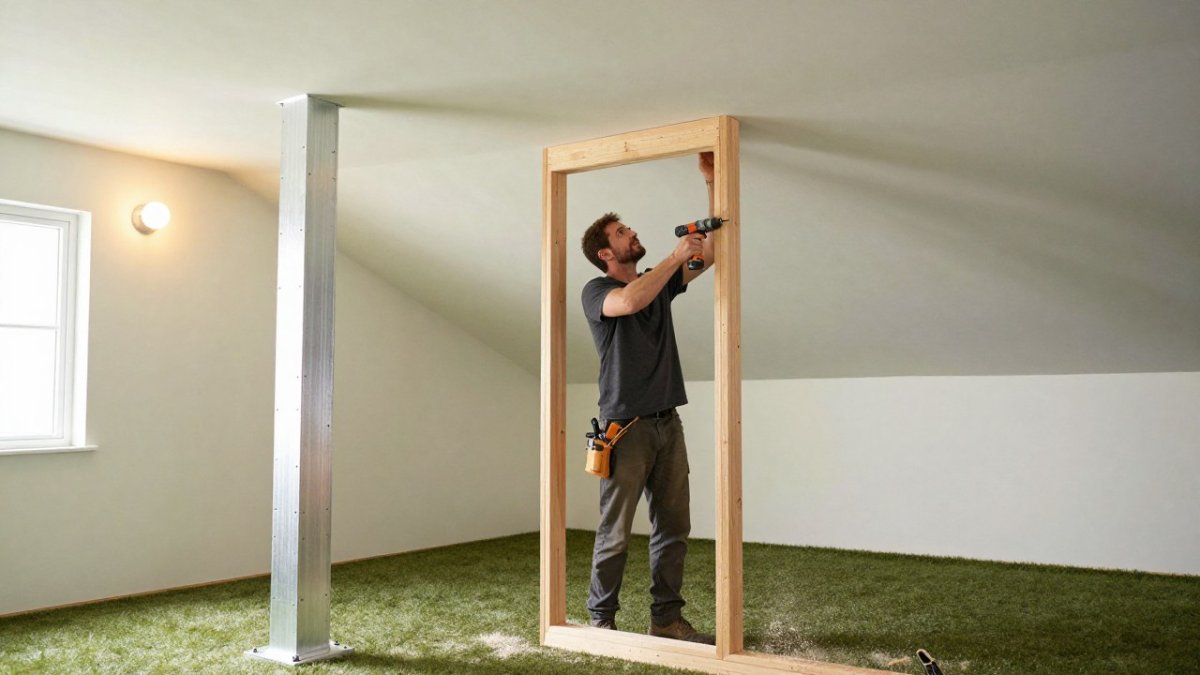
Ceiling height is the question that stops more builds than any other. A tight bonus room can feel cramped, so a frame fitted to your exact clearance matters. Before you buy anything, measure your ceiling, your width, and your depth, and confirm your swing clearance with a real club in hand.
Our guide to minimum ceiling height for home golf walks through the specific numbers so you can confirm your room works before you spend a dollar.
A quick planning table for retiree spaces:
Room Type | Typical Ceiling | Swing Clearance | What We Recommend |
Bonus room | 8-9 ft | Tight for driver | Shorter backswing or fitted frame |
Garage | 9-10 ft | Comfortable | Full enclosure build |
Dedicated spare room | 10 ft+ | Generous | Custom bay with putting zone |
Retiree-friendly room planning goes beyond the three numbers above. The goal is a bay you can walk into, use, and leave without effort, so plan the space around your body and your routine, not just the swing.
Entry path. Leave a clear, level path at least 36 inches wide from the door to the hitting area. A bay you have to step over a frame lip or squeeze past a net to enter is a bay you will skip.
Safe swing clearance. Confirm clearance behind you, above your head, and to both sides with a real club. A driver needs more room than an iron, and a fitted frame that follows your ceiling line buys back inches a generic cage wastes.
Storage. Plan a spot for clubs, balls, and a chair that is not inside the swing zone. A small bench or wall rack keeps the floor clear and gives you somewhere to sit between sessions.
Lighting. Bright, even light on the screen and mat reduces eye strain and makes on-screen data easier to read. Avoid a single bare bulb that throws glare on the screen.
Flooring and level. A level floor under the mat and putting strip keeps ball roll true. If the garage slab slopes toward the door, a fitted subfloor or shimmed mat corrects it.
Garage conversion. A garage is often the easiest conversion because it already has the ceiling height and a wide door for delivery and assembly. The trade-offs are temperature swings, dust, and parking; a fitted enclosure and a mat that can be rolled or covered address most of it.
Spare-room conversion. A spare room is quieter and cleaner but usually tighter on ceiling. Measure before you buy, and favor a shorter backswing or a monitor that works with reduced flight.
A common pattern is to plan the room in this order: ceiling height first, then entry path and storage, then lighting and floor level, and only then the enclosure size. Doing it in that order prevents the most expensive mistake, buying a frame that fits the wall but not the way you move through the room.
Watch out: measuring ceiling height at the center of the room only. Ceiling soffits, light fixtures, and garage-door tracks often sit exactly where your backswing travels, so measure at the swing zone, not the middle of the floor.
How Rocket Simulators plans your custom retiree-friendly bay
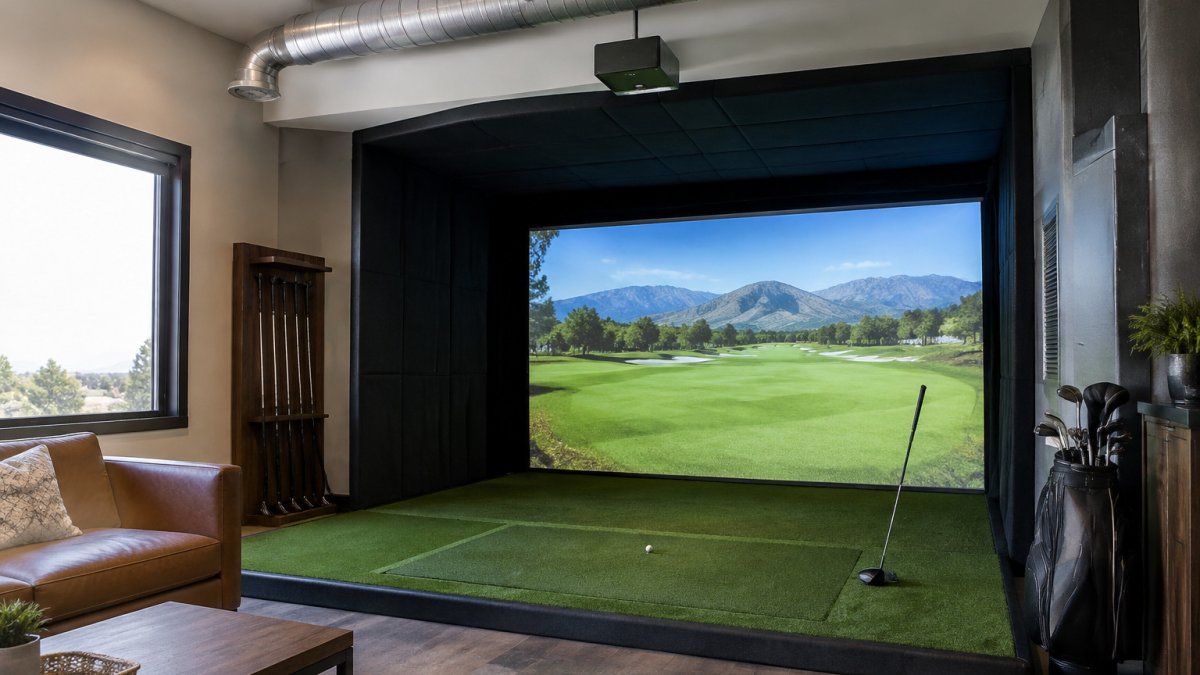
Every bay we build starts with an on-site visit. We measure your room and recommend equipment that fits your space. From there we build a custom enclosure from North American aluminum and wood, fit a crease-free screen and a ProTee projector system, and install DelaTurf hitting mats for a true fairway feel.
The goal is a bay that fits your home and your routine. If you want to see how a custom bay is laid out around a retiree's room and needs, our guide to custom golf simulator bay design shows seven room ideas. For a tailored build with professional-grade accuracy and durable construction, contact Rocket Simulators to plan your install.
Rocket Simulators handles the on-site measurement, the custom enclosure design, and the full installation. Our bays use professional-grade ProTee tracking, durable aluminum and wood construction, and DelaTurf mats for a true fairway feel. Get started with Rocket Simulators and turn your spare room into a practice bay you will actually use.
Frequently Asked Questions
What features should retirees look for in a golf simulator?
Focus on a thick hitting mat, a launch monitor with simple controls, and an enclosure that fits your room's ceiling height and swing clearance. Look for software with practice modes and a course library you will actually use. Ease of use matters more than tour-level data.
How much room do you need for a home golf simulator?
You need enough width for a full swing and enough depth for the ball to travel before it hits the screen. Ceiling height is the most common constraint: a 9-foot ceiling can work for many golfers, but taller players need more clearance. Measure your space before buying anything, and confirm swing clearance with the club you use most. Rocket Simulators can measure on site and recommend equipment that fits your actual room.
Can you practice putting on a home golf simulator?
Putting practice depends on the system and software you choose. Confirm that the software includes putting before you buy.
Are there golf simulators that are easy to set up and use?
Entry-level launch monitors paired with a net or DIY enclosure are the simplest to assemble, and all-in-one systems reduce the number of components you manage. Rocket Simulators offers on-site consultation and full installation for a fitted bay. For details on setup and support, visit the Rocket Simulators website.
Comments