

7 Best Golf Simulator Projectors for Home Use

Quick Summary
The best golf simulator projector for home use depends on your room's ceiling height, throw distance, and light levels. The BenQ AK700ST is the strongest documented premium choice, with 4K UHD resolution and 4,000 ANSI lumens. Budget buyers should plan for a projector priced from about $2,000 to $3,000, where the 4K options begin.
The BenQ AK700ST offers 4K UHD resolution, 4,000 ANSI lumens, and Auto Screen Fit.
The BenQ TK710STi is a 4K option priced from $2,199 with short-throw placement.
Calculate throw ratio using your screen's width, not its diagonal measurement.
Choose 2,000-3,000 lumens for dark rooms and 4,000 lumens or more with lights on.
Factor in lamp replacement costs, since lamps need changing every 3,000 to 5,000 hours.
Table of Contents
7 Best Golf Simulator Projectors for Home Use
Last Updated: November 5, 2026
Why the Projector Decides Your Simulator's Image Quality
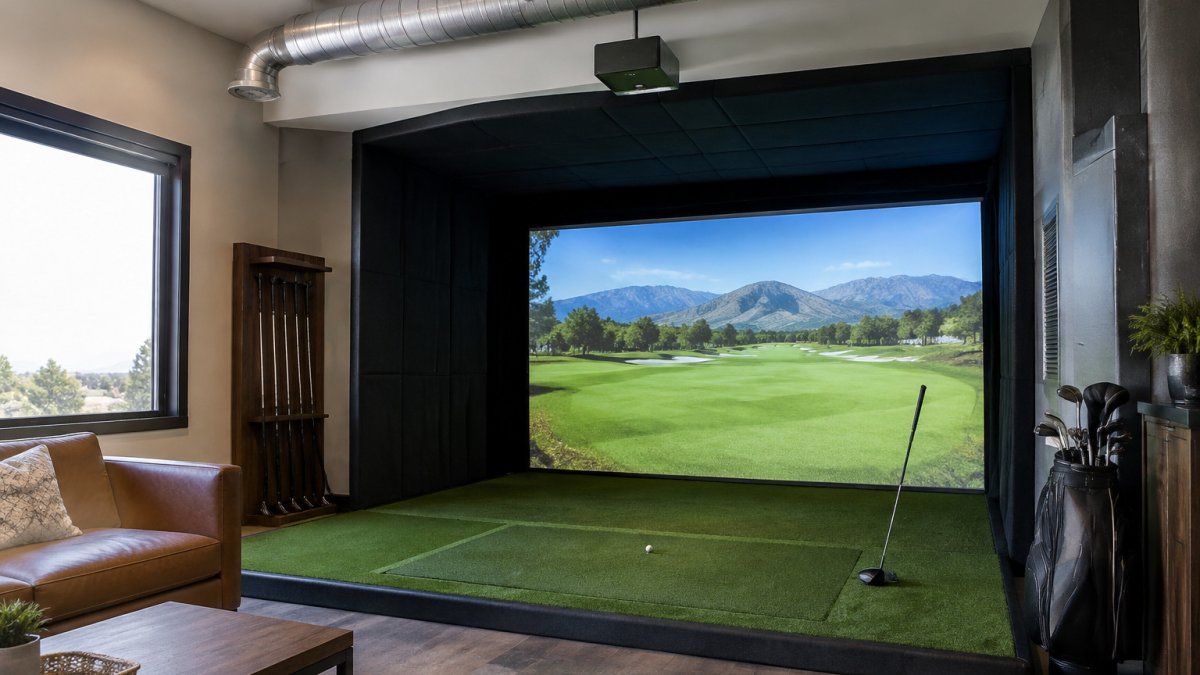
Choosing the best golf simulator projector for home use is one of the decisions that most affects how a simulator looks and performs. Explore the PROTEE golf simulator technology and premium materials behind a complete bay build. The image has to match the room's dimensions, the screen, and the way the golfer actually swings. A projector that is too dim, too low in resolution, or mounted at the wrong throw distance will show a ball flight that looks off and a screen that washes out in daylight.
The projector is the part of the build most homeowners compare first, so it is worth understanding what you are buying. Resolution, brightness, throw ratio, and lens quality all shape the picture you see when you hit a ball.
Over the next sections, we compare seven projectors that appear across current golf simulator recommendations, explain how to read their specifications, and show how room height and screen size change the right pick.
Quick Comparison: Top Golf Simulator Projectors
Use this table to scan the main options before reading the detailed reviews. Prices are listed only where the supplied sources provide them. Where a source gives no price, we direct you to the manufacturer or a retailer for current pricing.
Projector | Resolution | Starting Price | Best For |
BenQ AK700ST | 4K UHD | $2,899 | Bright 4K image, flexible screen fit |
BenQ TK710STi | 4K | $2,199 | 4K with short-throw placement |
BenQ TH671ST | Not specified | Contact for pricing | Compact short-throw rooms |
Optoma ZW350ST | Not specified | Contact for pricing | Specialist-listed simulator model |
Optoma GT2000HDR | Not specified | Contact for pricing | Comparing Optoma simulator models |
Epson PowerLite L690SU | Not specified | Contact for pricing | An alternative brand to BenQ and Optoma |
BenQ LK936ST | Not specified | Contact for pricing | Golf simulator mode, reported 5,100 lumens |
Best Golf Simulator Projector Under $500 for Budget Setups
If your budget is firm, plan around a projector in the $2,000 to $3,000 range, which is where the 4K options in this list begin. Treat any unit priced far below that as something to verify carefully before you buy.
Best Golf Simulator Projector Under $1,000 for Value
A projector in this price range can work in a home golf bay, but only if you understand what you are trading away.
What $1,000 Actually Buys
At this price, expect 1080p native resolution, 2,500 to 3,500 lumens, and a standard-throw lens in the 1.2:1 to 1.5:1 range. That combination can produce a usable image on a 90- to 110-inch screen in a dark room. What it typically will not do is fill a 120-inch screen from a short distance, hold contrast with lights on, or survive years of daily use without a lamp change.
The Total-Cost Trap
The purchase price is only the first cost.
Where a Budget Projector Fits
A sub-$1,000 unit makes sense in three scenarios: a garage bay used a few times a month, a secondary practice room where image quality is secondary to ball data, and a first build you plan to upgrade. It makes less sense in a dedicated room with windows, a large screen, or daily use.
Specifications to Verify Before Buying
Native resolution, not just 'supports 4K input.'
Throw ratio at your exact screen width.
Lumens measured in ANSI, not 'light output.'
Lamp or light-source life in hours and replacement cost.
Input lag, which affects how the ball reacts on screen in software that renders in real time.
Horizontal and vertical lens shift, which lets you mount off-center without keystone distortion.
The Realistic Budget Recommendation
Pricing varies by retailer and configuration, so confirm current prices directly with the manufacturer or a dealer before you commit to a budget.
Best Golf Simulator Projector for Home Use at Premium Level
For a premium build, the BenQ AK700ST is the strongest documented choice in this group. It offers 4K UHD resolution, 4,000 ANSI lumens, and Auto Screen Fit, which adapts the image to 16:9, 16:10, 4:3, and 1:1 screen formats. That flexibility matters when your screen shape is not standard.
The BenQ LK936ST is another premium option to consider. It includes a dedicated golf simulator mode and is reported at 5,100 lumens in the supplied search result. Pricing for this model was not available in our sources, so request a quote before budgeting.
A bright, sharp image on a poorly fitted screen will still look flat. Rocket Simulators handles the full process, including on-site measurement and equipment recommendations.
Golf Simulator Projector 4K vs 1080p: Which Resolution Fits Your Room
Resolution determines how crisp the ball, grass, and target markers appear. 4K gives a sharper picture, which helps when you judge ball flight and lie on a large screen. The BenQ AK700ST and BenQ TK710STi both offer 4K output. Several other models in this list do not state their resolution in the sources we reviewed, so confirm the specification before you compare them on image quality.
For a smaller screen viewed from close range, a sharp 1080p image may be enough. For a larger screen or a bay where you sit close to the projected image, 4K is the safer choice. Resolution alone does not decide quality, though. Brightness, lens quality, and calibration matter just as much, and a well-calibrated 1080p projector can look better than a poorly set-up 4K unit.
How to Choose: Throw Distance, Lumens and Ceiling Height
Three measurements decide which projector fits your room, and each one has a number attached to it. Work through them in this order: ceiling height first, throw distance second, brightness third. Getting the order wrong is how homeowners end up with a projector that fits the wall but not the swing.

Step 1: Ceiling Height and Mounting Position
Measure from the finished floor to the ceiling, then subtract the height of your enclosure's top frame and any header beam. What remains is your usable mounting band. A projector hung in the middle of that band throws its image onto the center of the screen; a projector hung too low puts the lens in the path of a driver swing, and one hung too high forces extreme keystone correction that softens the image.
Watch out: a projector mounted directly above the tee box will cast the golfer's shadow onto the screen on every shot, so offset the mount forward or back of the ball position.
Step 2: Throw Distance and Throw Ratio
Throw distance is the horizontal space from the lens to the screen. Throw ratio is throw distance divided by image width, and it is the number that tells you whether a projector will fill your screen from your room's depth.
A standard-throw projector has a ratio around 1.5:1 to 2.0:1, meaning a 10-foot-wide image needs 15 to 20 feet of depth.
A short-throw projector runs roughly 0.5:1 to 1.0:1, so a 10-foot image needs 5 to 10 feet.
An ultra-short-throw projector sits at 0.25:1 or lower and can fill a 10-foot image from 2.5 feet or less.
Do the math before you shop, using the room depth and the screen width. Use the manufacturer's throw distance calculator with your exact screen width, not the diagonal, because throw ratio is defined against image width.
Step 3: Brightness in Lumens
Lumens determine whether the image survives ambient light. A common pattern in home bays is:
2,000 to 3,000 lumens for a fully dark, dedicated room with a 100- to 120-inch screen.
3,000 to 4,000 lumens for a room with a window or occasional overhead lighting.
4,000 lumens and up for a garage bay with the door open or a multi-use room where lights stay on.
Screen material changes the target. A gray or high-contrast screen rejects ambient light and can make a 3,000-lumen projector look brighter than a 4,000-lumen unit on a white screen. If you plan to hit with lights on, budget for both a brighter projector and a light-rejecting screen rather than overbuying lumens alone.
Step 4: Screen Size and Aspect Ratio
Match the projector's native aspect ratio to your screen before anything else. Golf simulator software and launch monitors commonly output 16:9 or 16:10, and a projector that only does 16:9 will letterbox a 16:10 screen. Confirm the native resolution, not just the supported input, because a 1080p projector accepting a 4K signal still displays 1080p.
Step 5: Light Source and Placement Trade-offs
Laser phosphor projectors hold brightness longer and eliminate lamp swaps, which matters in a bay that runs several hours a week. LED projectors run cooler and quieter but often top out at lower lumen output. Lamp-based units are the cheapest to buy and the most expensive to own once you factor in replacement lamps every 3,000 to 5,000 hours. For a simulator that sees regular use, the light-source decision is a total-cost decision, not just a sticker-price one.
For a deeper look at room dimensions, see our guide on minimum ceiling height for home golf. If you are planning the enclosure around the projector, our overview of custom golf simulator enclosure materials explains which materials suit a golf bay build.
Booking a Professional Simulator Bay Build with Rocket Simulators
Selecting a projector is only one part of building a reliable simulator. Installation, calibration, and enclosure fit all affect the final result, and small errors in mounting or screen alignment are difficult to correct once the bay is finished. Rocket Simulators handles the full process, from on-site space measurement and equipment recommendations through to professional installation.
Rocket Simulators bays are built with durable aluminum and wood construction, paired with a professional-grade ProTee projector system and DelaTurf hitting mats. If you want a projector matched to your room rather than chosen from a list, contact Rocket Simulators for a custom design and installation quote in the Orlando area. Our team can review your ceiling height, screen size, and budget before recommending a specific unit.
Frequently Asked Questions
What is the best projector for an outdoor golf simulator?
Outdoor use is hard on projectors because direct sunlight washes out the image and humidity can shorten equipment life. Most home golf simulator projectors are designed for controlled indoor rooms such as a garage, spare room or bonus room. In Central Florida, where heat and humidity are high year-round, an enclosed indoor bay with climate control is the more reliable choice than an outdoor setup. Rocket Simulators can assess your space and recommend a configuration suited to your conditions. Contact them for a quote tailored to your property.
Is a short-throw projector better for a golf simulator?
For most home simulator rooms, yes. A short-throw projector can throw a full-size image from a short distance, which helps when ceiling height or room depth is limited. Check the throw ratio against your measured distance to the screen before buying, and confirm the mounting position works with your ceiling height.
How many lumens are needed for a golf sim projector?
Lumens matter most when the room has ambient light. A dark, controlled room can work with fewer lumens, while a bright room needs a brighter projector to keep the image visible. Pair brightness with a screen suited to your setup, and reduce ambient light where possible.
Can I use my projector as a golf simulator?
A standard projector can display simulator software, but golf-specific models add features such as golf simulator modes, short-throw placement and screen-format fitting that make setup easier. Compatibility with launch monitors and simulator software should be confirmed before purchase. Rocket Simulators builds complete bays with a professional-grade ProTee projector system, so you do not need to match components yourself.
Comments